

Description
Download T Mobile Device Unlock Pixel APK – Unlock Google Pixel, Free App, Travel, T-Mobile USA
Overview
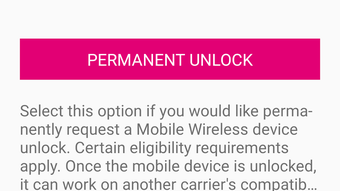
The T-Mobile Device Unlock (Pixel) APK is a dedicated tool developed by T-Mobile USA, designed specifically for users of Google Pixel smartphones who are currently using a T-Mobile SIM card. Its primary purpose is to facilitate the process of unlocking a mobile device, enabling users to switch to another compatible network carrier—particularly useful for international travel. The application allows users to request either a temporary one-month unlock or a permanent unlock, depending on their needs and eligibility. This functionality supports both short-term travel scenarios and long-term use on alternative carriers. The software is intended for consumers who own eligible Google Pixel devices and are looking to maintain flexibility in their mobile connectivity options. While the app is free to use, the unlocking process is subject to eligibility criteria set by T-Mobile. The developer did not provide additional system requirements or details about supported hardware beyond the Pixel series. Real-world usage scenarios include travelers preparing for overseas trips, individuals selling their devices, or users seeking greater carrier freedom. However, the app has been reported to suffer from technical instability, including frequent crashes and server errors, which may delay or disrupt the unlocking process.
Key Features & Capabilities
- Device Unlock Request – Users can initiate a request to unlock their Google Pixel device, either permanently or for a one-month temporary period, depending on eligibility.
- Carrier Compatibility Support – Designed for use with T-Mobile’s network and compatible with other carriers internationally, enabling global connectivity.
- Eligibility-Based Unlocking – The app verifies user eligibility, ensuring that only qualified devices can be unlocked, in line with T-Mobile’s policies.
- Simple Request Interface – The app provides a straightforward interface for submitting unlock requests without requiring advanced technical knowledge.
- Restart Required After Unlock – Once the unlock is processed, users are prompted to restart their device to apply the changes.
These features are particularly beneficial for travelers who need temporary access to foreign networks or individuals preparing to sell or switch carriers. The ability to unlock a device without relying on third-party tools adds a layer of security and legitimacy. However, the process is not always smooth, as users have reported repeated failures due to server-side issues. The app does not provide real-time status updates, which can lead to confusion during the unlock attempt. Despite these challenges, the core functionality remains intact and serves its intended purpose for eligible users.
User Interface, Workflow & Performance
The user interface of T-Mobile Device Unlock (Pixel) appears to be minimalistic and focused on the core task of initiating an unlock request. Navigation is limited to a few key screens, including device verification, eligibility check, and unlock confirmation. The workflow is designed to guide users through the process step-by-step, though the lack of feedback during processing can be frustrating. Users may not receive immediate confirmation of success or failure, leading to uncertainty. Performance observations are based on general software behavior patterns, as exact performance details were not specified. The developer did not provide information on CPU or RAM usage, nor did they list any known stability benchmarks. Reports indicate that the app experiences frequent crashes, especially during the submission phase. Server errors have also been documented, requiring multiple attempts before a successful unlock is achieved. This inconsistency may impact user trust, particularly for travelers relying on timely access to an unlocked device. While the app functions as a basic utility, its reliability is compromised by technical issues that affect the overall user experience.
Compatibility & System Requirements
T-Mobile Device Unlock (Pixel) is designed exclusively for Google Pixel smartphones. The app is available as an APK file, which suggests it is intended for installation on Android devices. The operating system compatibility is limited to Android-based Pixel devices, though specific version requirements were not provided. The installation size is not specified in the input, so exact file size details are unavailable. The developer did not list any hardware or software prerequisites beyond the device type. Compatibility information was partially provided, indicating that the app targets only Pixel models with T-Mobile SIM cards. Users should ensure their device is eligible before attempting to use the application. The lack of detailed system requirements makes it difficult to assess whether older or newer Pixel models are supported. The app may not function on non-Pixel devices or those not registered with T-Mobile. For users outside the supported range, alternative unlocking methods may be necessary.
Pros and Cons
Pros
- Free to use, eliminating cost barriers for eligible users.
- Official tool developed by T-Mobile USA, ensuring legitimacy and security.
- Supports both temporary and permanent unlock options.
- Designed specifically for Google Pixel devices, ensuring compatibility.
- Simple interface suitable for non-technical users.
Cons
- Frequent crashes reported during the unlock process.
- Server errors may require multiple attempts to succeed.
- Limited feedback during processing, causing user uncertainty.
- No clear indication of real-time status or progress.
- Only available for Google Pixel devices with T-Mobile SIM cards.
FAQ Section
Is T-Mobile Device Unlock (Pixel) free to download and use?
Yes, the app is available at no cost. It is designed as a free utility for eligible T-Mobile customers using Google Pixel devices.
Can I use this app on any Android phone?
No, the app is specifically designed for Google Pixel smartphones. It is not compatible with non-Pixel Android devices.
Does the app work on both temporary and permanent unlock requests?
Yes, users can request either a one-month temporary unlock or a permanent unlock, depending on their eligibility and needs.
Is the app safe to install from APK?
As a tool developed by T-Mobile USA, the app is intended to be secure. However, users should only download APKs from official or trusted sources to avoid potential risks.
Can I use this app offline?
No, the app requires an active internet connection to communicate with T-Mobile’s servers and process unlock requests.
Final Thoughts + CTA
While T-Mobile Device Unlock (Pixel) serves a clear and practical purpose for eligible users, its usability is significantly hindered by technical issues such as frequent crashes and server errors. The app’s interface is straightforward and accessible, but the lack of reliable feedback and the need for repeated attempts can be frustrating—especially for travelers who depend on timely access to an unlocked device. Despite being free and officially supported, the app falls short in reliability and consistency. For users seeking a dependable solution, alternative unlocking methods may offer better stability. However, for those who meet the eligibility criteria and are willing to endure potential setbacks, the app remains a viable option. If you own a Google Pixel with a T-Mobile SIM card and need to unlock your device, consider giving this tool a try. Download T Mobile Device Unlock Pixel APK now.
Guides & Tutorials for Mobile Device Unlock Pixel APK
How to install Mobile Device Unlock Pixel APK
- Click the Preview / Download button above.
- Once redirected, accept the terms and click Install.
- Wait for the Mobile Device Unlock Pixel APK download to finish on your device.
How to use Mobile Device Unlock Pixel APK
This software is primarily used for its core features described above. Open the app after installation to explore its capabilities.
User Reviews for Mobile Device Unlock Pixel APK 0
No reviews found





